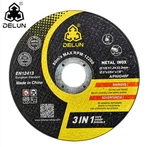
1. Low Cutting Efficiency / Difficulty in Cutting
Problem Manifestations
Significantly reduced cutting speed, with much longer time required to cut the same material.
Additional pressure is needed to advance the disc during cutting, and "blade jamming" may even occur.
The material cannot be cut through in one pass, requiring repeated cutting.
Core Causes
Incorrect Selection: The type of cutting disc is mismatched with the material to be cut (e.g., using a stone-cutting disc for metal, or a resin cutting disc for high-hardness alloys).
Abrasive Wear / Dulling: The cutting disc has been used for too long, and the surface abrasives (such as brown corundum and silicon carbide) have become flattened, losing their cutting ability.
Unreasonable Cutting Parameters:
Low Rotational Speed: Below the "recommended speed" marked on the cutting disc, preventing the abrasives from cutting effectively.
Excessively Fast Feed Rate: Forcibly advancing the disc quickly causes the abrasives to wear out due to extrusion before they can cut.
Equipment Issues: Loose spindle of the cutting machine or insufficient power, failing to provide stable cutting power.
Solutions
Re-select the Disc: Choose the corresponding cutting disc based on the material type (metal/stone/glass) and hardness (mild steel/stainless steel/high-carbon steel) (e.g., resin grinding wheel cutting discs for metal, diamond cutting discs for stone).
Replace the Disc: If the abrasives are obviously dull (no sharp edges on the surface, dull color), replace the disc with a new one immediately.
Adjust Parameters: Strictly follow the "recommended speed" (e.g., the common speed for resin cutting discs is 3000-6000 r/min) marked on the cutting disc packaging and adjust the feed rate according to the material characteristics; avoid applying excessive pressure.
Inspect Equipment: Check if the spindle is loose (needs tightening) and if the motor power is suitable (a motor with power ≥1.5KW is required for cutting thick metal).
2. Poor Cutting Precision (Dimensional Deviation / Uneven Cutting Surface)
Problem Manifestations
Large deviation between the size of the cut material and the expected size (e.g., straight cutting becomes "slanted").
Rough cutting surface with burrs (for metal) or edge chipping (for stone/glass).
"Wavy patterns" or local depressions on the cutting surface.
Core Causes
Cutting Disc Quality Issues:
Disc Eccentricity: The dynamic balance fails to meet standards during production, causing vibration when rotating at high speed.
Insufficient Disc Rigidity: For example, a resin cutting disc is too thin (thinner than the minimum thickness required for the material thickness), making it easy to bend during cutting.
Unstandardized Operation:
Uneven force application when using a handheld cutting machine (more force on one side, less on the other).
Unfixed material: The material shifts during cutting (e.g., metal plates not fixed with clamps).
Lack of Auxiliary Tools: Failure to use a fence (guide ruler) makes it impossible to ensure cutting straightness.
Inappropriate Abrasive Grain Size: Using a coarse-grain (below 46#) cutting disc for precision parts results in high surface roughness.
Solutions
Choose High-Quality Discs: Prioritize regular brands, check if the packaging is marked "qualified dynamic balance", and select a disc with a thickness corresponding to the material thickness (e.g., a 3-4mm thick resin cutting disc for cutting 5mm steel plates).
Standardize Operation: Keep the handheld cutting machine moving at a constant speed and vertically during cutting, avoiding left-right shaking; fix the material with clamps (such as a bench vice or suction cup) before cutting.
Install Auxiliary Tools: Use a fence (guide ruler) to attach to the edge of the material, ensuring a straight cutting path.
Match Grain Size: Select fine-grain cutting discs (e.g., 80#-120#) for precision cutting and coarse-grain discs (e.g., 36#-46#) for rough processing.
3. Cutting Disc Cracking / Explosion (High-Risk Problem)
Problem Manifestations
The cutting disc suddenly breaks during cutting, with fragments splashing.
The cutting disc "shatters" instantly when the cutting machine is started.
Cracks appear on the edge of the cutting disc, and the cracks expand to the entire disc during use.
Core Causes (Extremely High Safety Hazard, Requiring Focus)
Over-Speed Use: The rotational speed of the cutting machine far exceeds the "maximum allowable speed" marked on the cutting disc (e.g., the maximum speed of the cutting disc is 5000 r/min, but the cutting machine is adjusted to 6000 r/min), causing cracking due to centrifugal force.
Expired / Damp Discs:
The shelf life of resin cutting discs is usually 1-2 years; after expiration, the resin binder ages and its strength decreases.
When damp (e.g., stored in a humid environment), the resin absorbs water and softens, failing to fix the abrasives.
Incorrect Installation:
Failure to install a "flange" or mismatched flange size (the flange diameter must be ≥1/3 of the disc diameter; otherwise, uniform force cannot be applied).
Reversed disc installation (some discs have front and back sides; for example, the "cutting surface" of a diamond cutting disc must face the material).
External Impact: The disc hits the workbench/clamp before contacting the material, or suddenly encounters hard spots inside the material (such as welding slag in metal or steel bars in stone) during cutting.
Quality Defects: Inferior cutting discs have "sand holes", "bubbles", or uneven distribution of binders, leading to stress concentration and explosion when rotating at high speed.
Solutions (Must Be Strictly Implemented to Avoid Safety Accidents)
Strictly Control Speed: Before starting, confirm that the rotational speed of the cutting machine is ≤ the "maximum allowable speed" of the cutting disc (marked on the side of the disc or its packaging); do not increase the speed without permission.
Check Disc Status: Before use, check the shelf life of the disc; if expired or damp (damp surface, soft edges), discard it directly. Inspect the disc surface for cracks or sand holes; if defects exist, stop using it immediately.
Install Correctly:
Must install matching flanges (one on top and one on the bottom) and ensure the flanges are flat and undamaged.
Tighten the nut with moderate force (over-tightening will crack the disc, while under-tightening will cause vibration).
Avoid Impact: Approach the material slowly during cutting to avoid sudden impact; clean hard spots and impurities on the material surface in advance.
4. Severe Heating / Smoking of the Cutting Disc
Problem Manifestations
The temperature of the cutting disc rises sharply 1-2 minutes after use, and heat waves can be clearly felt when approaching it with hands.
Black smoke appears during cutting, accompanied by a pungent odor (common in resin cutting discs).
After heating, the edge of the disc softens, and even "edge melting" may occur.
Core Causes
Poor Heat Dissipation:
The cutting disc is too thick, resulting in a small heat dissipation area.
Cutting in a closed space (e.g., inside a pipeline) prevents heat from dissipating in time.
Excessive Friction:
Excessively high rotational speed + too slow feed rate, causing the disc to rub against the material for a long time (instead of cutting).
Failure to replace the disc in time after the abrasives become dull, leading to a large amount of frictional heat due to "dry grinding" of the disc.
Material Characteristics: When cutting high thermal conductivity materials (such as aluminum alloys), heat is easily transferred to the disc; when cutting materials that are prone to sticking to the blade (such as stainless steel), chips adhere to the disc surface, hindering heat dissipation.
Solutions
Optimize Heat Dissipation: Select thin cutting discs (e.g., 2-3mm thick resin discs for cutting metal), maintain ventilation during cutting, and avoid closed environments.
Adjust Parameters: Reduce the rotational speed (but not below the recommended value) and appropriately increase the feed rate to reduce friction time.
Replace Discs Timely: Replace the disc immediately after the abrasives become dull to avoid "dry grinding".
Select Discs Targetedly: For cutting materials prone to sticking to the blade (such as stainless steel), choose "anti-stick" cutting discs (e.g., resin cutting discs with special coatings).
5. Core Suggestions for Preventing Cutting Disc Problems
Prioritize Disc Selection: Remember that "the material determines the type of cutting disc" - use resin grinding wheel discs for metal, diamond saw blades for stone/concrete, and ultra-thin diamond discs for glass. Avoid using "one disc for all materials".
Inspect Before Use: Conduct the "three checks" before each use:
Check the shelf life/damp condition.
Check the disc surface for cracks, sand holes, or deformation.
Check if the rotational speed of the cutting machine matches the disc.
Standardize Operation:
Wear protective equipment (goggles, gloves, dust masks; goggles can prevent fragments from injuring the eyes in case of disc explosion).
Do not operate the handheld cutting machine with one hand; avoid excessive force.
Do not touch or remove the disc until it has completely stopped rotating.
Store Correctly: Store cutting discs on a dry, ventilated, and light-proof shelf. Avoid stacking (to prevent deformation under pressure) and keep them away from oil and water sources.
Most problems with cutting discs are directly related to "selection, operation, and maintenance". By strictly following the principles of "matching materials, standardizing operations, and checking in advance", you can not only improve cutting results but also minimize safety risks to the greatest extent. If abnormalities (such as abnormal noise or vibration) occur during use, stop the machine immediately for inspection and do not continue using it forcibly.